← Back to Skins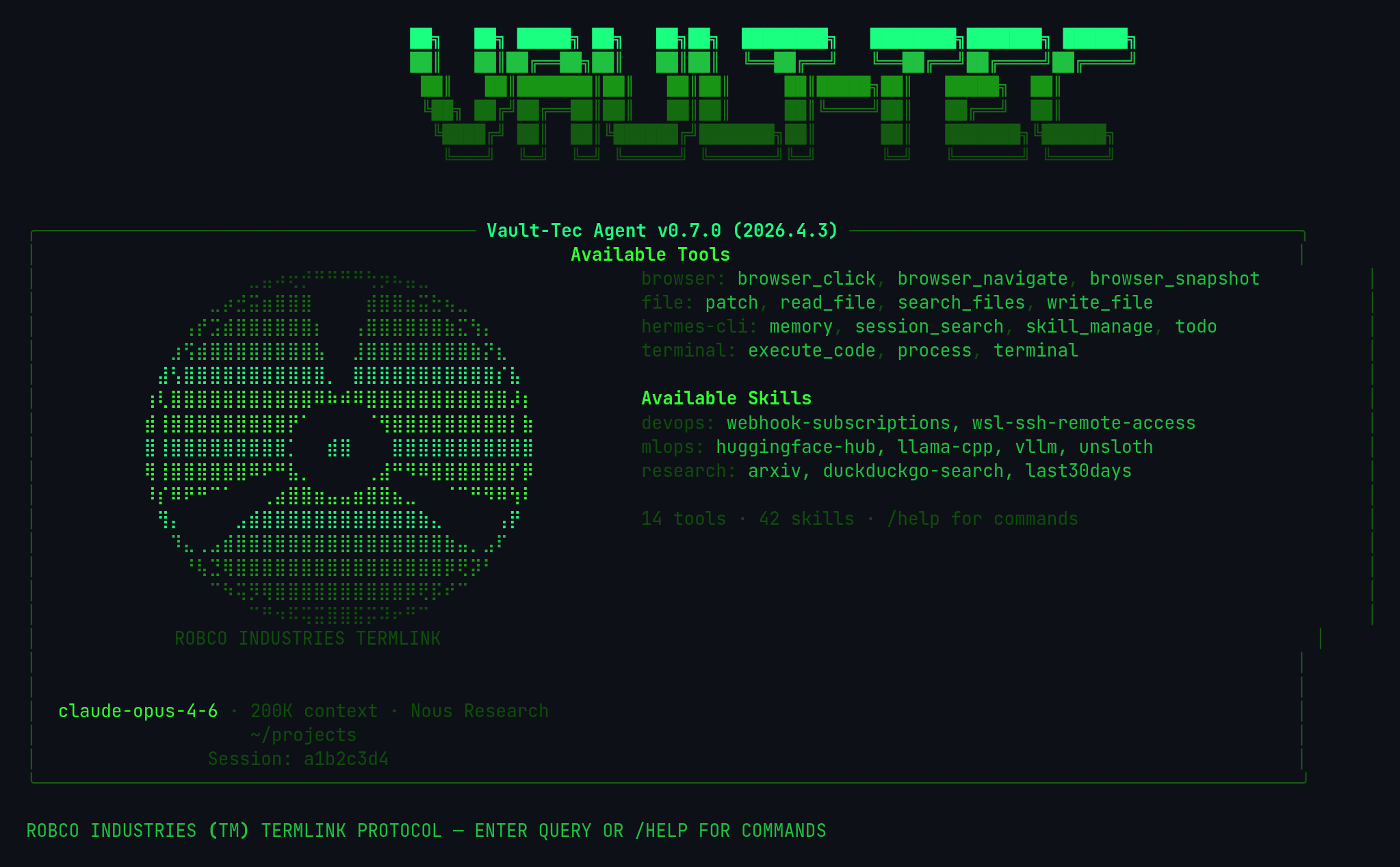 ↓ Download vault-tec
ASCII Art
[#0e4e0b]⠀⠀⠀⠀⠀⠀⠀⠀⣀⣤⠴⢖⡚⠛⠛⠛⠛⢓⡲⠦⣤⣀⠀⠀⠀⠀⠀⠀⠀⠀[/]
[#146c11]⠀⠀⠀⠀⠀⣀⡴⣚⣭⣶⣿⣿⣿⠀⠀⠀⠀⣾⣿⣿⣶⣭⣓⢦⣀⠀⠀⠀⠀⠀[/]
[#199515]⠀⠀⠀⢠⡞⣩⣾⣿⣿⣿⣿⣿⣿⡆⠀⠀⢠⣿⣿⣿⣿⣿⣿⣷⣍⢳⡄⠀⠀⠀[/]
[#20c040]⠀⠀⣰⢫⣾⣿⣿⣿⣿⣿⣿⣿⣿⣧⠀⠀⣸⣿⣿⣿⣿⣿⣿⣿⣿⣷⡝⣆⠀⠀[/]
[#1bff80]⠀⣼⢣⣿⣿⣿⣿⣿⣿⣿⣿⣿⣿⣿⡀⠀⣿⣿⣿⣿⣿⣿⣿⣿⣿⣿⣿⡎⣧⠀[/]
[#33ff33]⢰⢇⣿⣿⣿⣿⣿⣿⣿⣿⣿⣿⣿⠿⠷⠾⠿⣿⣿⣿⣿⣿⣿⣿⣿⣿⣿⣿⡼⡆[/]
[#33ff33]⣾⢸⣿⣿⣿⣿⣿⣿⣿⣿⣿⡟⠁⠀⠀⠀⠀⠈⢻⣿⣿⣿⣿⣿⣿⣿⣿⣿⡇⣷[/]
[#1bff80]⣿⢸⣿⣿⣿⣿⣿⣿⣿⣿⣿⡁⠀⠀⣾⣿⠀⠀⠀⣿⣿⣿⣿⣿⣿⣿⣿⣿⣿⣿[/]
[#33ff33]⢿⢸⣿⣿⣿⣿⣿⣿⠿⠟⠛⣧⡀⠀⠀⠀⠀⢀⣼⠛⠻⠿⣿⣿⣿⣿⣿⣿⡏⡿[/]
[#33ff33]⠸⡎⠿⠟⠛⠉⠁⠀⠀⢀⣴⣿⣿⣶⣤⣤⣶⣿⣿⣦⣀⠀⠀⠈⠉⠛⠻⠿⢳⠇[/]
[#1bff80]⠀⢻⡄⠀⠀⠀⠀⣠⣾⣿⣿⣿⣿⣿⣿⣿⣿⣿⣿⣿⣿⣷⣄⠀⠀⠀⠀⢠⡟⠀[/]
[#20c040]⠀⠀⠹⣄⢀⣠⣾⣿⣿⣿⣿⣿⣿⣿⣿⣿⣿⣿⣿⣿⣿⣿⣿⣷⣤⡀⣠⠏⠀⠀[/]
[#199515]⠀⠀⠀⠘⢧⣙⢿⣿⣿⣿⣿⣿⣿⣿⣿⣿⣿⣿⣿⣿⣿⣿⣿⡿⢟⡽⠃⠀⠀⠀[/]
[#146c11]⠀⠀⠀⠀⠀⠉⠳⢭⡻⢿⣿⣿⣿⣿⣿⣿⣿⣿⣿⣿⡿⢟⡯⠞⠉⠀⠀⠀⠀⠀[/]
[#0e4e0b]⠀⠀⠀⠀⠀⠀⠀⠀⠉⠛⠲⠯⢭⣭⣿⣿⣯⡭⠽⠖⠛⠉⠀⠀⠀⠀⠀⠀⠀⠀[/]
[dim #0e4e0b]⠀⠀⠀⠀ROBCO INDUSTRIES TERMLINK⠀⠀⠀⠀[/]
vault-tec
Fallout Vault-Tec terminal — green phosphor CRT on black
↓ 137 downloads
☆☆☆☆☆No ratings yet
Rate:
1. Install — Option A (one-liner)
curl -L https://hermesskins.io/api/items/vault-tec/download -o ~/.hermes/skins/vault-tec.yaml
2. Install — Option B (manual)
mv ~/Downloads/vault-tec.yaml ~/.hermes/skins/
The file saves to your Downloads folder — move it into place.
3. Activate (inside Hermes)
/skin vault-tec
Start Hermes, then at the Hermes prompt — inside the TUI, not your shell — type the command above.Switches for this session. To make it your default, set it in ~/.hermes/config.yaml.