← Back to Skins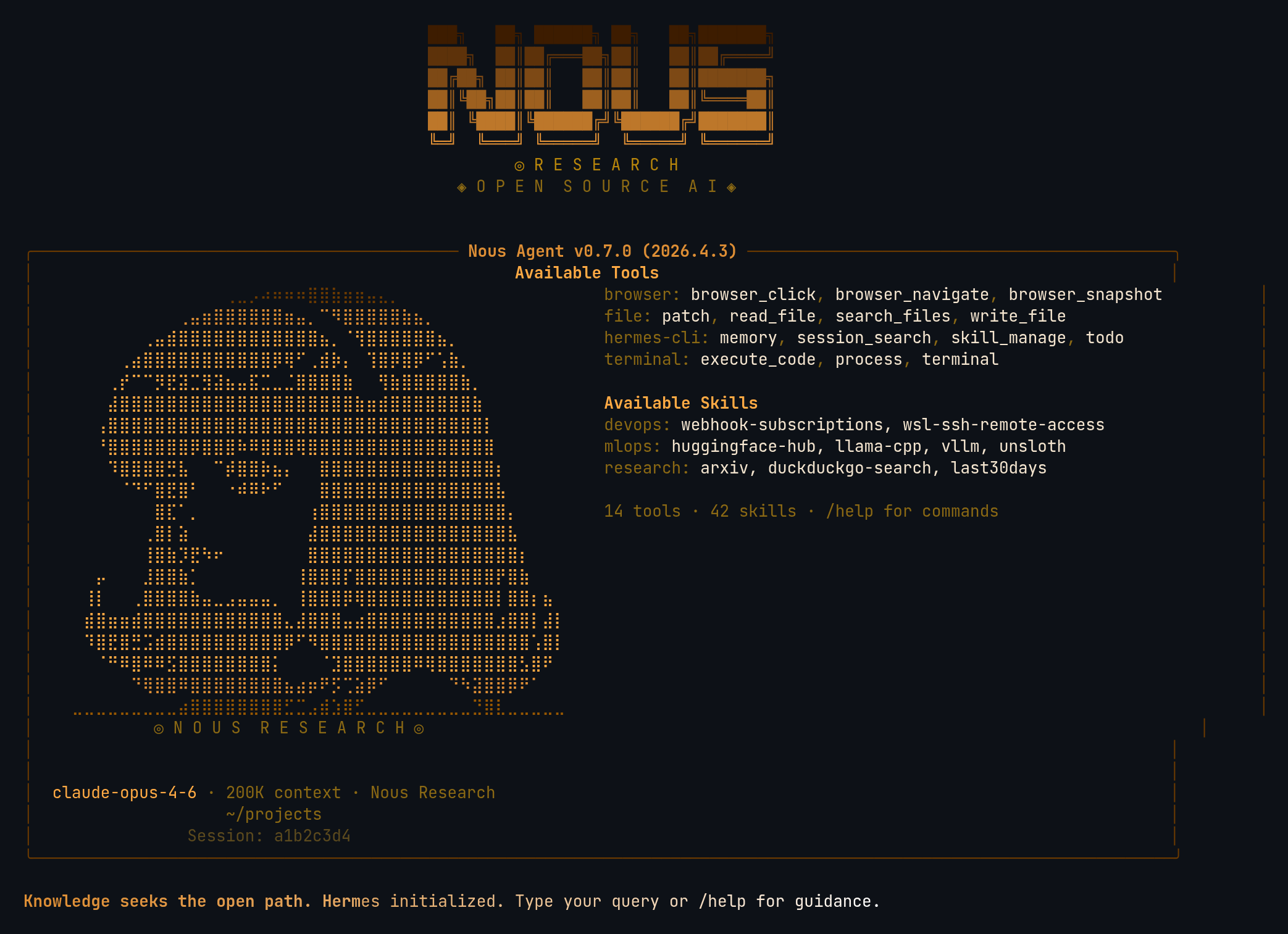 ↓ Download nous
ASCII Art
[#6B3A00]⠀⠀⠀⠀⠀⠀⠀⠀⠀⠀⠀⠀⠀⢀⣀⡠⠴⠶⠶⠶⣿⣿⣷⣶⣶⣤⣄⡀⠀⠀⠀⠀⠀⠀⠀⠀⠀⠀⠀⠀⠀⠀[/]
[#DD8E35]⠀⠀⠀⠀⠀⠀⠀⠀⠀⢀⣤⣶⣿⣿⣿⣿⣿⣿⣶⣤⡀⠉⠻⣿⣿⣿⣿⣿⣷⣦⡀⠀⠀⠀⠀⠀⠀⠀⠀⠀⠀⠀[/]
[#FFAA44]⠀⠀⠀⠀⠀⠀⢀⣤⣾⣿⣿⣿⣿⣿⣿⣿⣿⣿⣿⣿⣿⣦⡀⠈⢻⣿⣿⣿⣿⣿⣿⣦⡀⠀⠀⠀⠀⠀⠀⠀⠀⠀[/]
[#FFAA44]⠀⠀⠀⠀⢀⣴⣿⣿⣿⣿⣿⣿⣿⣿⣿⣿⣿⡿⢿⠋⢀⣾⡷⡄⠀⢹⣿⡿⣿⡿⠋⢡⣷⡀⠀⠀⠀⠀⠀⠀⠀⠀[/]
[#FFAA44]⠀⠀⠀⢀⡞⠉⠉⡻⣟⣽⣉⣻⣽⣦⣤⣯⣉⣀⣈⣿⣿⣿⣿⣷⠀⠀⢻⣷⣿⣿⣿⣿⣿⣷⡀⠀⠀⠀⠀⠀⠀⠀[/]
[#FFAA44]⠀⠀⠀⣼⣿⣿⣿⣿⣿⣿⣿⣿⣿⣿⣿⣿⣿⣿⣿⣿⣿⣿⣿⣿⣷⣶⣾⣿⣿⣿⣿⣿⣿⣿⣷⠀⠀⠀⠀⠀⠀⠀[/]
[#FFAA44]⠀⠀⢠⣿⣿⣿⣿⣿⣿⣿⣿⣿⣿⣿⣿⣿⣿⣿⣿⣿⣿⣿⣿⣿⣿⣿⣿⣿⣿⣿⣿⣿⣿⣿⣿⡇⠀⠀⠀⠀⠀⠀[/]
[#FFAA44]⠀⠀⠘⣿⣿⣿⣿⣿⣿⣿⡿⣿⣿⣿⠷⠿⣿⣿⣿⢿⣿⣿⣿⣿⣿⣿⣿⣿⣿⣿⣿⣿⣿⣿⣿⣿⠀⠀⠀⠀⠀⠀[/]
[#FFAA44]⠀⠀⠀⠹⣿⣿⣿⣿⣛⣧⠀⠀⠉⡾⣿⣿⡷⣦⡄⠀⠀⣿⣿⣿⣿⣿⣿⣿⣿⣿⣿⣿⣿⣿⣿⣿⡆⠀⠀⠀⠀⠀[/]
[#FFAA44]⠀⠀⠀⠀⠈⠙⠋⣿⣟⣿⠃⠀⠀⠐⠾⠿⠗⠋⠀⠀⠀⣿⣿⣿⣿⣿⣿⣿⣿⣿⣿⣿⣿⣿⣿⣿⣧⠀⠀⠀⠀⠀[/]
[#FFAA44]⠀⠀⠀⠀⠀⠀⠀⣿⣏⠁⡀⠀⠀⠀⠀⠀⠀⠀⠀⠀⢰⣿⣿⣿⣿⣿⣿⣿⣿⣿⣿⣿⣿⣿⣿⣿⣿⡄⠀⠀⠀⠀[/]
[#FFAA44]⠀⠀⠀⠀⠀⠀⢀⣿⡇⣵⠀⠀⠀⠀⠀⠀⠀⠀⠀⠀⣼⣿⣿⣿⣿⣿⣿⣿⣿⣿⣿⣿⣿⣿⣿⣿⣿⣧⠀⠀⠀⠀[/]
[#FFAA44]⠀⠀⠀⠀⠀⠀⢸⣿⣷⡹⣟⠳⠖⠀⠀⠀⠀⠀⠀⠀⣿⣿⣿⣿⣿⣿⣿⣿⣿⣿⣿⣿⣿⣿⣿⣿⣿⣿⡆⠀⠀⠀[/]
[#FFAA44]⠀⠀⡤⠀⠀⠀⣸⣿⣿⣷⡁⠀⠀⠀⠀⠀⠀⠀⠀⢸⣿⣿⣿⡏⣿⣿⣿⣿⣿⣿⣿⣿⣿⣿⣿⣿⡟⣿⣷⠀⠀⠀[/]
[#FFAA44]⠀⢸⡇⠀⠀⢀⣿⣿⣿⣿⣷⣤⣀⣠⣤⣤⣤⡀⠀⢸⣿⣿⣿⡿⢿⣿⣿⣿⣿⣿⣿⣿⣿⣿⣿⣿⡇⣿⣿⡆⣦⠀[/]
[#FFAA44]⠀⣾⣿⣶⣶⣾⣿⣿⣿⣿⣿⣿⣿⣿⣿⣿⣿⣿⣄⣼⣿⣿⣿⣤⣴⣿⣿⣿⣿⣿⣿⣿⣿⣿⣿⣿⣰⣿⣿⡇⣼⡇[/]
[#FFAA44]⠀⠹⣿⣟⣿⣛⣩⣾⣿⣿⣿⣿⣿⣿⣿⣿⣿⣿⡿⠋⠻⣿⣿⣿⣿⣿⣿⣿⣿⣿⣿⣿⣿⣿⣿⣿⣿⣿⣿⢡⣿⡇[/]
[#FFAA44]⠀⠀⠈⠛⠿⣿⠿⠿⣫⣿⣿⣿⣿⣿⣿⣿⣿⡅⠀⠀⠀⠈⣹⣿⣿⣿⣿⣿⣿⠿⢿⣿⣿⣿⣿⣿⣿⣿⣣⣿⠟⠀[/]
[#DD8E35]⠀⠀⠀⠀⠀⠙⢿⣿⣿⠿⣿⣿⣿⣿⣿⣿⣿⣿⣦⣴⡶⠟⡫⢉⣵⡿⠋⠀⠀⠀⠀⠀⠙⠳⣽⣿⣿⡿⠟⠁⠀⠀[/]
[#995800]⣀⣀⣀⣀⣀⣀⣀⣀⣀⣴⣿⣿⣿⣿⣿⣿⣿⣿⣋⣉⣠⣾⣱⣿⣋⣀⣀⣀⣀⣀⣀⣀⣀⣀⣙⣿⣇⣀⣀⣀⣀⣀[/]
[dim #8B6914]⠀⠀⠀⠀⠀⠀⠀◎ N O U S  R E S E A R C H ◎⠀⠀⠀⠀⠀⠀⠀[/]
nous
Nous Research — open-source AI lab tribute, anime mascot braille art, warm amber and gold palette, Hermes model creators
↓ 211 downloads
★★★★★5 (1 rating)
Rate:
1. Install — Option A (one-liner)
curl -L https://hermesskins.io/api/items/nous/download -o ~/.hermes/skins/nous.yaml
2. Install — Option B (manual)
mv ~/Downloads/nous.yaml ~/.hermes/skins/
The file saves to your Downloads folder — move it into place.
3. Activate (inside Hermes)
/skin nous
Start Hermes, then at the Hermes prompt — inside the TUI, not your shell — type the command above.Switches for this session. To make it your default, set it in ~/.hermes/config.yaml.