← Back to Skins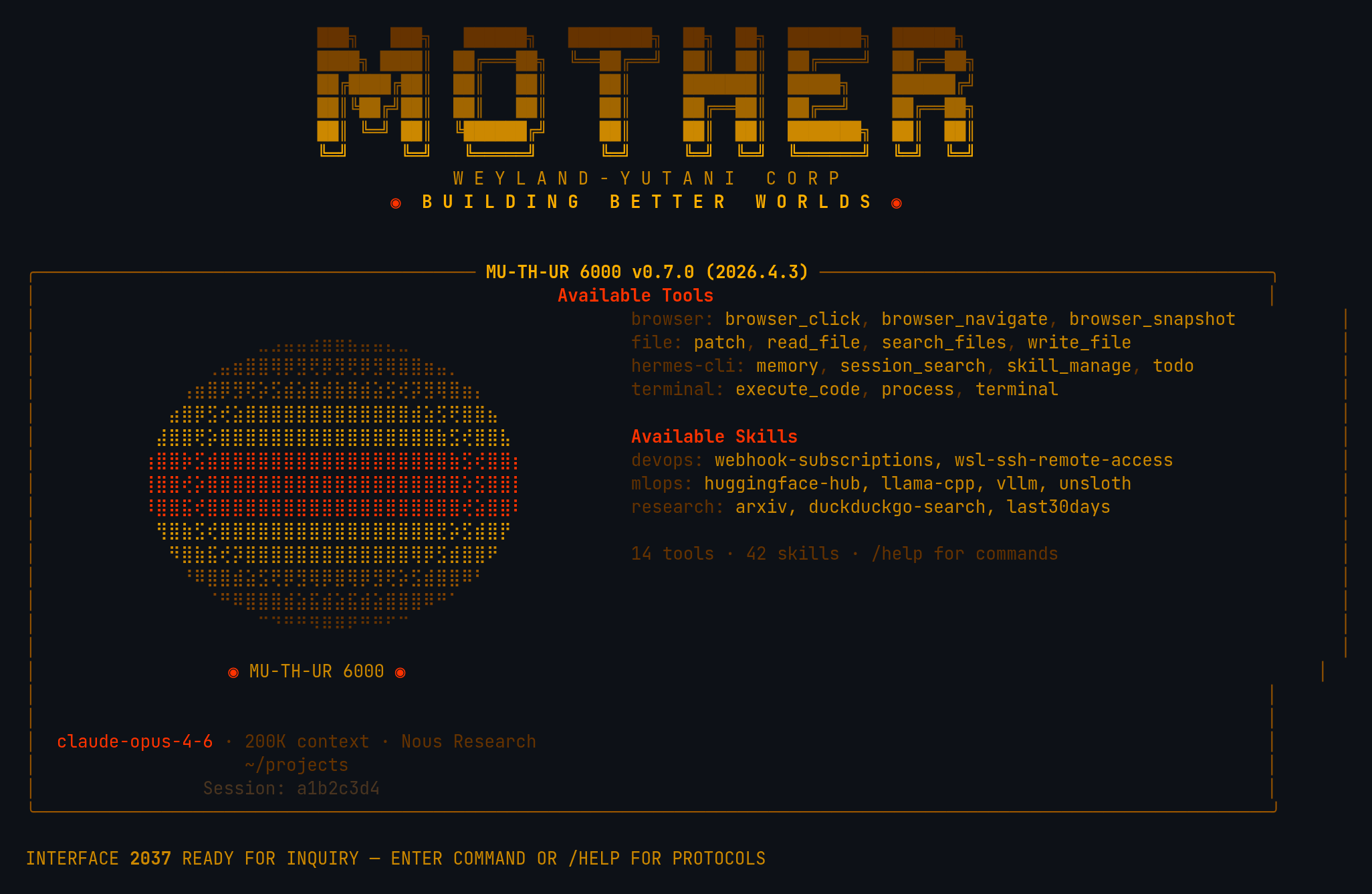 ↓ Download mother
ASCII Art
[#4A3520]⠀⠀⠀⠀⠀⠀⠀⠀⠀⠀⠀⠀⠀⠀⠀⠀⠀⠀⠀⠀⠀⠀⠀⠀⠀⠀⠀⠀⠀⠀⠀⠀[/]
[#663300]⠀⠀⠀⠀⠀⠀⠀⠀⠀⠀⣀⣠⣤⣤⣴⣶⣶⣦⣤⣤⣄⣀⠀⠀⠀⠀⠀⠀⠀⠀⠀⠀[/]
[#804000]⠀⠀⠀⠀⠀⠀⢀⣤⣶⣿⣿⢿⡿⣻⢟⡿⣻⢟⡿⣻⢿⣿⣿⣶⣤⡀⠀⠀⠀⠀⠀⠀[/]
[#995500]⠀⠀⠀⠀⢠⣶⣿⡿⣻⢟⡵⣫⣾⣵⣿⣾⣷⣿⣾⣵⣫⢞⡽⣻⢿⣿⣶⡄⠀⠀⠀⠀[/]
[#CC8800]⠀⠀⠀⣴⣿⡿⣫⢞⣵⣿⣿⣿⣿⣿⣿⣿⣿⣿⣿⣿⣿⣿⣾⣵⣫⢟⣿⣿⣦⠀⠀⠀[/]
[#DD9900]⠀⠀⣼⣿⣿⢟⡵⣿⣿⣿⣿⣿⣿⣿⣿⣿⣿⣿⣿⣿⣿⣿⣿⣿⣷⣫⢞⣿⣿⣧⠀⠀[/]
[#FF3300]⠀⢰⣿⣿⡷⣫⣾⣿⣿⣿⣿⣿⣿⣿⣿⣿⣿⣿⣿⣿⣿⣿⣿⣿⣿⣷⣫⢞⣿⣿⡆⠀[/]
[#FF3300]⠀⢸⣿⣿⢞⡵⣿⣿⣿⣿⣿⣿⣿⣿⣿⣿⣿⣿⣿⣿⣿⣿⣿⣿⣿⣿⡵⣫⣿⣿⡇⠀[/]
[#FF3300]⠀⠸⣿⣿⣯⢞⣿⣿⣿⣿⣿⣿⣿⣿⣿⣿⣿⣿⣿⣿⣿⣿⣿⣿⣿⣿⢞⣵⣿⣿⠇⠀[/]
[#DD9900]⠀⠀⢻⣿⣷⣫⢞⣿⣿⣿⣿⣿⣿⣿⣿⣿⣿⣿⣿⣿⣿⣿⣿⣿⣟⡵⣫⣾⣿⡟⠀⠀[/]
[#CC8800]⠀⠀⠀⠻⣿⣷⣯⢞⡽⣿⣿⣿⣿⣿⣿⣿⣿⣿⣿⣿⣿⣿⢿⡿⣫⣾⣿⣿⠟⠀⠀⠀[/]
[#995500]⠀⠀⠀⠀⠘⠿⣿⣿⣾⣵⣫⢟⡿⣻⢿⡿⣿⢿⡿⣻⢟⡵⣫⣾⣿⣿⠿⠃⠀⠀⠀⠀[/]
[#804000]⠀⠀⠀⠀⠀⠀⠈⠛⠿⣿⣿⣿⣾⣵⣯⣾⣵⣯⣾⣵⣿⣿⣿⠿⠛⠁⠀⠀⠀⠀⠀⠀[/]
[#663300]⠀⠀⠀⠀⠀⠀⠀⠀⠀⠀⠉⠙⠛⠛⠻⠿⠿⠟⠛⠛⠋⠉⠀⠀⠀⠀⠀⠀⠀⠀⠀⠀[/]
[#4A3520]⠀⠀⠀⠀⠀⠀⠀⠀⠀⠀⠀⠀⠀⠀⠀⠀⠀⠀⠀⠀⠀⠀⠀⠀⠀⠀⠀⠀⠀⠀⠀⠀[/]
[bold #FF3300]⠀⠀⠀⠀⠀⠀⠀⠀⠀⠀⠀◉[/] [#CC8800]MU-TH-UR 6000[/] [bold #FF3300]◉⠀⠀⠀⠀⠀⠀⠀⠀⠀⠀⠀[/]
mother
Weyland-Yutani MU-TH-UR 6000 — amber CRT phosphor terminal with HAL 9000 red eye, terse corporate AI aesthetic
↓ 122 downloads
★★★★☆4 (1 rating)
Rate:
1. Install — Option A (one-liner)
curl -L https://hermesskins.io/api/items/mother/download -o ~/.hermes/skins/mother.yaml
2. Install — Option B (manual)
mv ~/Downloads/mother.yaml ~/.hermes/skins/
The file saves to your Downloads folder — move it into place.
3. Activate (inside Hermes)
/skin mother
Start Hermes, then at the Hermes prompt — inside the TUI, not your shell — type the command above.Switches for this session. To make it your default, set it in ~/.hermes/config.yaml.