← Back to Skins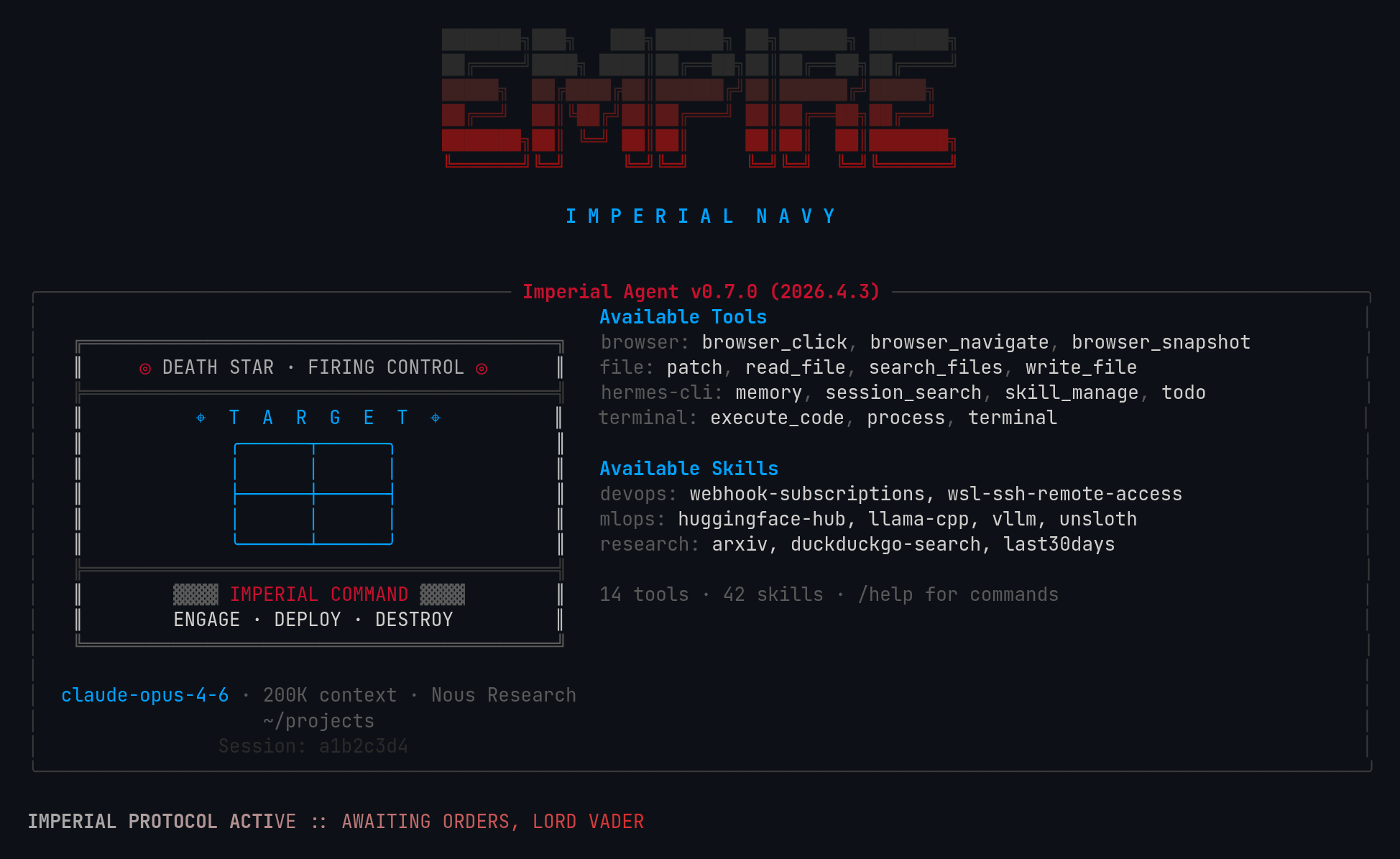 ↓ Download empire
ASCII Art
[#5A5A5A]╔══════════════════════════════════════════╗[/]
║     [#C8102E]◎[/] [#AAAAAA]DEATH STAR · FIRING CONTROL[/] [#C8102E]◎[/]      ║
[#3A3A3A]╠══════════════════════════════════════════╣[/]
║          [#00A2FF]⌖  T  A  R  G  E  T  ⌖[/]          ║
║             [#00A2FF]╭──────┬──────╮[/]              ║
║             [#00A2FF]│      │      │[/]              ║
║             [#00A2FF]├──────┼──────┤[/]              ║
║             [#00A2FF]│      │      │[/]              ║
║             [#00A2FF]╰──────┴──────╯[/]              ║
[#3A3A3A]╠══════════════════════════════════════════╣[/]
║        [#5A5A5A]▓▓▓▓[/] [#C8102E]IMPERIAL COMMAND[/] [#5A5A5A]▓▓▓▓[/]        ║
║        [#D2D0CE]ENGAGE · DEPLOY · DESTROY[/]         ║
[#5A5A5A]╚══════════════════════════════════════════╝[/]
empire
Galactic Empire v2. Canon red, Death Star firing control terminal, hologram blue accents.
↓ 142 downloads
☆☆☆☆☆No ratings yet
Rate:
1. Install — Option A (one-liner)
curl -L https://hermesskins.io/api/items/empire/download -o ~/.hermes/skins/empire.yaml
2. Install — Option B (manual)
mv ~/Downloads/empire.yaml ~/.hermes/skins/
The file saves to your Downloads folder — move it into place.
3. Activate (inside Hermes)
/skin empire
Start Hermes, then at the Hermes prompt — inside the TUI, not your shell — type the command above.Switches for this session. To make it your default, set it in ~/.hermes/config.yaml.